Public beta · Underneath 0.9.5
Try it before anyone else.
Underneath is free while it’s in beta. Write with it, push it, break it, and tell me what you find. It launches properly on 1 January 2027.
By downloading you agree to the beta licence: free to keep, not to resell.
Test it well, get Underneath 1 free
If you use the beta for real and send useful bug reports, you get a free licence for Underneath 1 when it launches. Send reports from the app (Help → Report a Bug or Idea) and add your email, so I know who to thank.
Opening it the first time
The beta isn’t signed with a paid Apple certificate yet (Underneath 1 will be), so the first time you open it, macOS asks you to confirm it. It takes a minute, once.
- Open the download and drag Underneath into Applications.
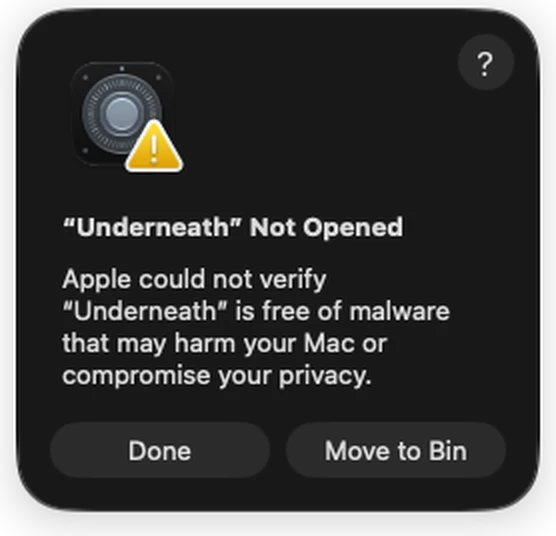
- Open Underneath from Applications. macOS says it can’t check it. Click Done (not Move to Bin).
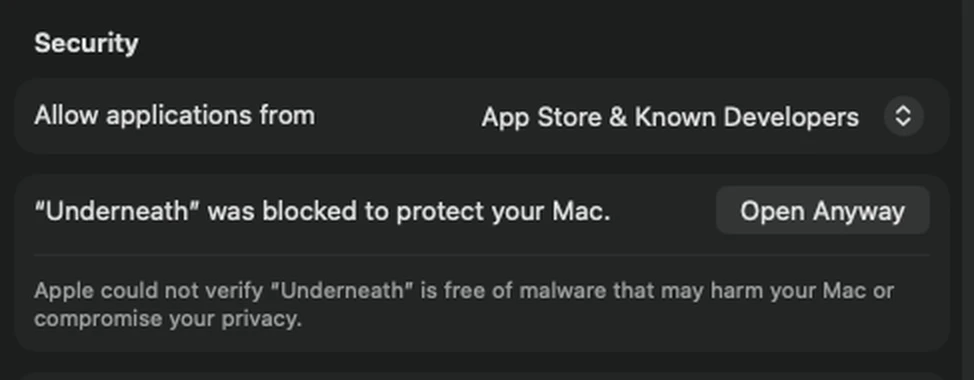
- Open System Settings → Privacy & Security and scroll down to Security. Next to “Underneath was blocked”, click Open Anyway.
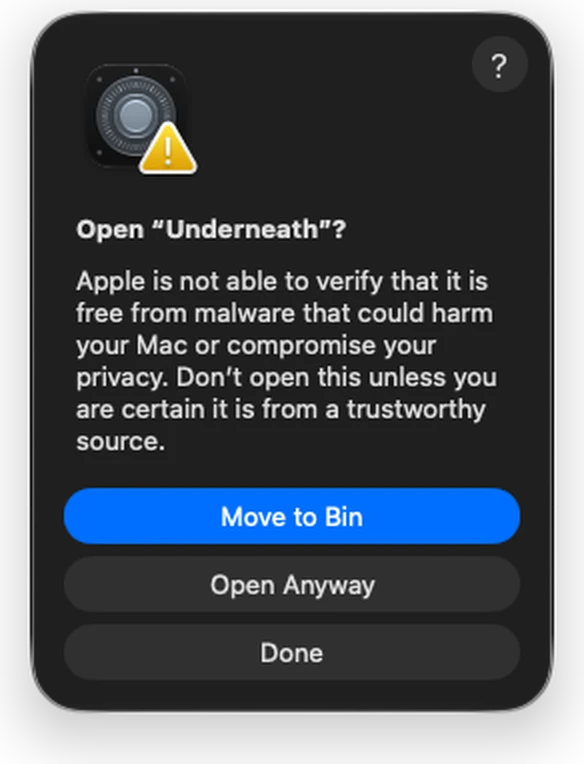
- macOS asks one last time. The blue button is Move to Bin: don’t click that. Click Open Anyway just below it, then enter your password or use Touch ID. Underneath opens, and from now on it opens like any other app.
Comfortable with Terminal? This does the same in one line: xattr -dr com.apple.quarantine /Applications/Underneath.app
Good to know
- Keep a copy of anything important. It’s a beta. Underneath saves as you go and keeps a history, but please back up scripts that matter.
- Updates come by themselves up to version 0.9.9. Underneath 1 is a separate, paid app; the beta keeps working, yours to keep.
- Your files stay yours, in ordinary formats other writing apps can open.
- Final Draft scripts open and save back as .fdx.
Questions? Write to me. Thank you for testing.